Remember the Dell XPS 13 ? After disappearing from shelves last year, it is finally back. And this time, Dell is taking a direct shot at Apple’s MacBook Neo by doing something unusual: keeping the price very low. The new model is also the smallest and lightest XPS 13 the company has ever made. It measures 12.7mm thin and weighs only 2.2 pounds. Dell says that makes it even lighter and more compact than Apple’s competing laptop. So, what does it cost? The regular price is $699 (~Php42,000). But if you are a student, you can get it for just $599 (~Php36,000). That includes anyone over 16 in high school or anyone enrolled in a college that gives out degrees. For that price, the student version of the Dell XPS 13 comes with an Intel Core Series 3 chip, 8GB of memory, and 256GB of storage. If you want more power, you can pay extra for an Intel Core Ultra Series processor, up to 32GB of RAM, and up to 1TB of storage. You also get to pick between two colors: storm or sky. ...

Remember the Dell XPS 13? After disappearing from shelves last year, it is finally back. And this time, Dell is taking a direct shot at Apple’s MacBook Neo by doing something unusual: keeping the price very low.
The new model is also the smallest and lightest XPS 13 the company has ever made. It measures 12.7mm thin and weighs only 2.2 pounds. Dell says that makes it even lighter and more compact than Apple’s competing laptop.
So, what does it cost? The regular price is $699 (~Php42,000). But if you are a student, you can get it for just $599 (~Php36,000). That includes anyone over 16 in high school or anyone enrolled in a college that gives out degrees.

For that price, the student version of the Dell XPS 13 comes with an Intel Core Series 3 chip, 8GB of memory, and 256GB of storage. If you want more power, you can pay extra for an Intel Core Ultra Series processor, up to 32GB of RAM, and up to 1TB of storage. You also get to pick between two colors: storm or sky.
Dell says it did not want to use cheap parts just to hit a low price. So the XPS 13 has a touch screen that runs at 120Hz. That is twice as smooth as the 60Hz screen on the MacBook Neo. It also covers the full DCI-P3 color range and has a keyboard that lights up completely.
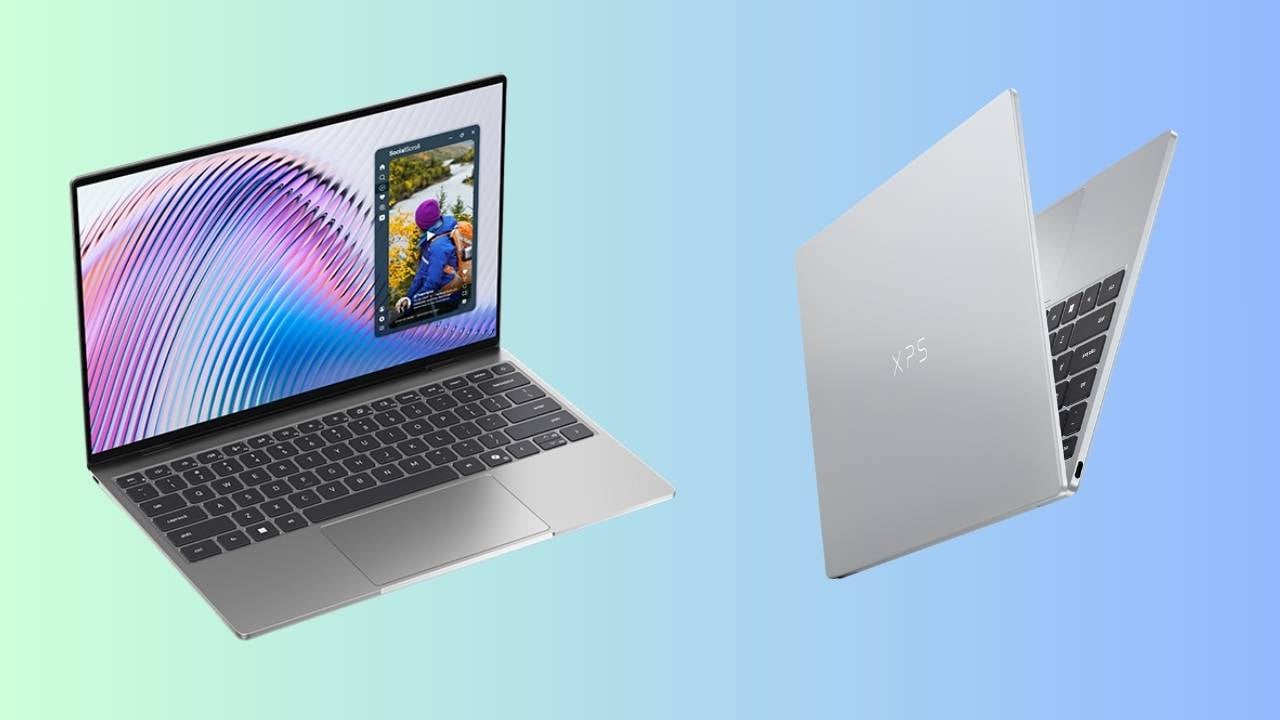
Other nice features include a body made from CNC aluminum, a 2.5K IPS display, four speakers, Wi-Fi 7 support, two USB-C ports, and a webcam that works with Windows Hello. Unfortunately, there’s no headphone jack.
The MacBook Neo does have one thing going for it: it has no fans inside. The XPS 13 uses two fans to stay cool. But if you like working outside in the sun, those fans might actually help you more than hurt you. As long as it doesn’t sound like a jet, it’s not really a problem.
The new Dell XPS 13 2026 laptop is expected to be available this June 2026. Pricing and availability in the Philippines are yet to be revealed.
This article, Dell’s new XPS 13 laptop wants to compete with the MacBook Neo, was originally published at NoypiGeeks | Philippines Technology News, Reviews and How to's.
Comments
Post a Comment